Looking for something?


Archive for October, 2009

We’re always psyched to see Wiffiti harness social media for good, which is why I need to give a shout-out to Rachel Simmons, who is using Wiffiti on her national book tour for The Curse of the Good Girl.

Rachel travels around the country leading leadership seminars and empowerment workshops for young girls, their parents, and school administrators.

Rachel reports that Wiffiti has been a great tool for her seminars, and we feel proud to be a part of it! You can follow Rachel on Twitter and be sure to check our her Wiffiti screen!

Share

A title is everything, eh?

Dealing with F**K is the final installment of Stephen’s series of four white papers outlining best practices and new standards for the Digital Out of Home industry. This paper focuses on the multi-dimensional (and often tricky) concept of filtering and moderation on DOOH displays.

“Do you provide moderation?” is quite possibly the question we’re most often asked by clients, and it’s without a doubt one of the most contentious legal concepts in the industry. This paper shares some of the solutions we’ve found over the years.

As with the other three installments, we’re sponsoring exclusive release with the good folks over at DailyDOOH. Thanks, Adrian!

Share

We get many emails from users asking how to get rid of unwanted web or mobile messages on their Wiffiti screens. I’ve grabbed a few screenshots from the “I Love Trash” screen to demonstrate how easy it is!

First, click on My Screens in the top righthand corner of wiffiti.com.
Next, go to the timeline view of the screen.
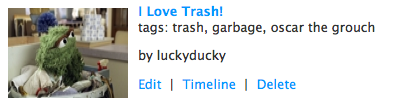
timeline view

(Note: You can also find a link to the timeline in the top right of individual screen pages).

All web-submitted and mobile messages/photos will have a small blue “X” in the righthand side of their call-out box.

oscar message
Go ahead… Click that.
Vamoooose!

Oh, the power.

A few notes:
1. Only web-submitted and mobile messages can be deleted. Twitter and flickr messages (if you choose to integrate tagged content) cannot be deleted by the user… so choose your tags wisely!
2. You can set your screen rating (G, R). Using wiffiti.com, messages can only be deleted after they are delivered to the screen.
3. Screen owners can delete messages on his/her screens ONLY. You cannot delete a message on a screen you did not create.
3. For advanced moderation options, contact us about our Self-Managed Apps Program.

Share