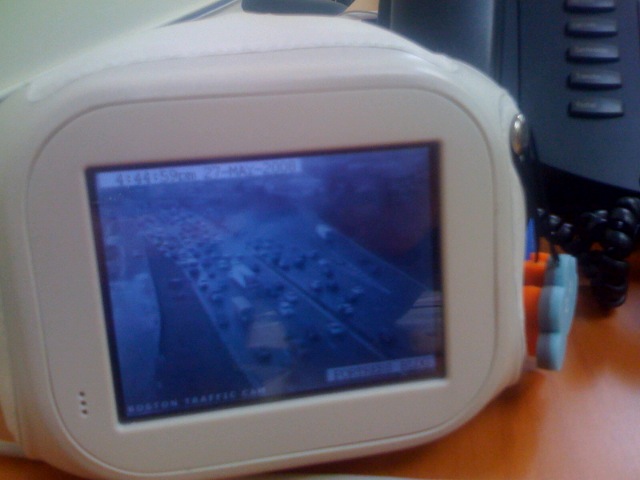
 I’ve had my Chumby since last November, anxiously waiting for it (him?) to wow me.
Although the wowing was somewhat anticlimactic, it happened yesterday.
For anyone unfamiliar with the magical plush world of Chumby, think soft alarm clock that displays your choice of widgets. (Here‘s a decent primer.) Until now, my Chumby has been loaded up with Red Sox scores, a cuckoo clock, word-of-the-day, multiple tech-geek feeds, standards like the Huff Post, a reel of morphing Mona Lisa facial expressions, and classic artwork feeds like Stuff on My Mutt.
Meh.
But yesterday, when I went to update my Chumby dashboard, I noticed a new widget category: web cams. Hey hey heeeey now…. Smart.
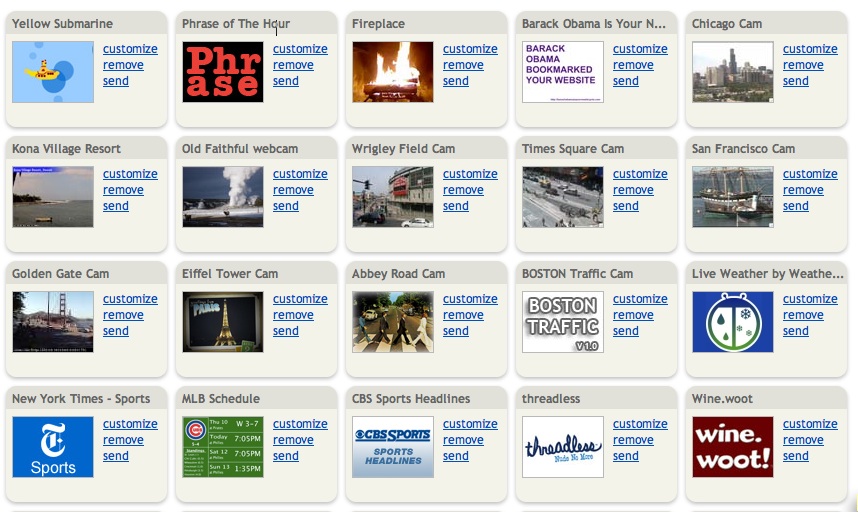
Now there’s a reason to have a persistent extra screen! Whereas most of the other content they had been serving was already present in my iGoogle (and could be considered fairly redundant with the info stream I was getting on my own machine), here was a perfect display of the ambient web done right.
Would I ever load up the Abbey Road cam, the Eiffel Tower cam, the Wrigley Field cam (very cool around game times), the Boston traffic cam (how depressing!), the Kona Beach cam (so jealous of this guy in a yellow kayak that’s been there all morning), or the Golden Gate cam on my laptop? Never. But do I love glancing up and having it as a cool ambient screen on the side of my desk? You bet. And now I can even check up on Jumbli on the Times Square cam!
Chumby got 12.5M in funding in March, and I hope to see more cams to come. Finally, a nice fit of content and display for Chumby- glad to see it.
Technorati Tags: The Web Outside, Chumby, web cams, ambient web, jumbli, widgets, technology, mobile web




Leave a Reply