Looking for something?


Posts Tagged ‘Wiffiti’

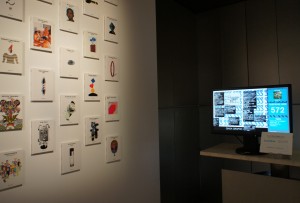
The Ginza Graphic Gallery’s 25th anniversary commemorative exhibition brought together 100 beautiful books by 100 (probably equally beautiful) designers. More details here.

Also on display was the gallery’s first e-book and a Wiffiti screen which was tagged to show filtered tweets about the exhibition and Foursquare check-ins.

The event was planned and organized by DNP Foundation for Cultural Promotion and the local technology providers of the Wiffiiti screen were Fujifilm Imagetec.

Share

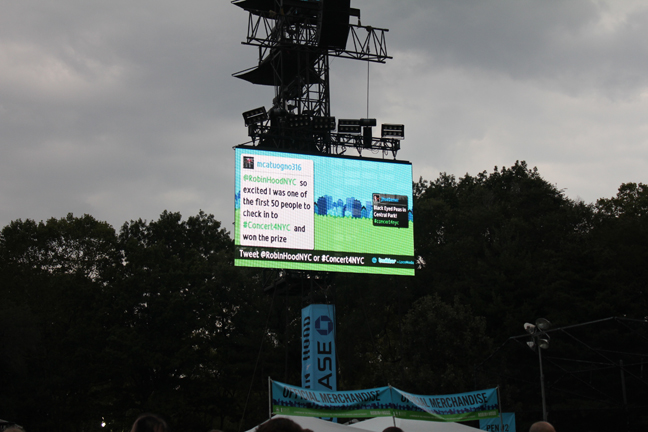
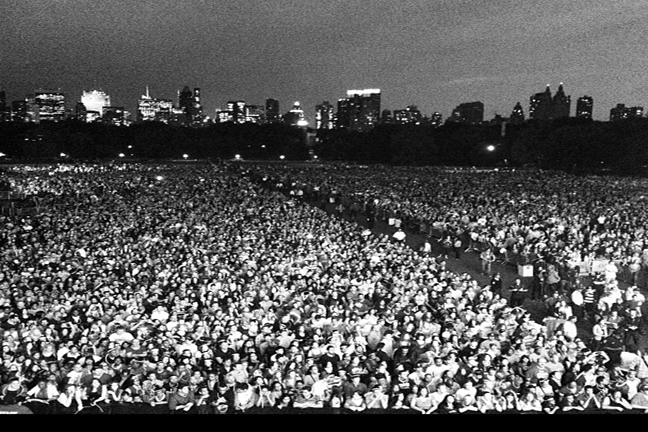
Last Friday night, in New York City, 60,000 people came The Great Lawn in Central Park to enjoy a concert by the Black Eyed Peas. The event was organized by the Robin Hood Foundation to fund poverty-fighting programs in New York City.

They raised over $4,000,000.

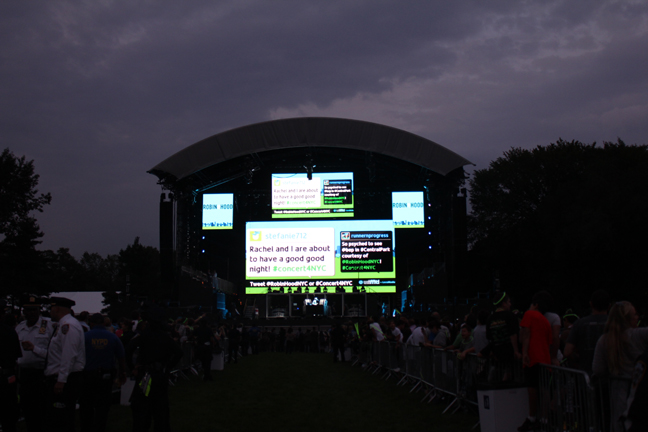
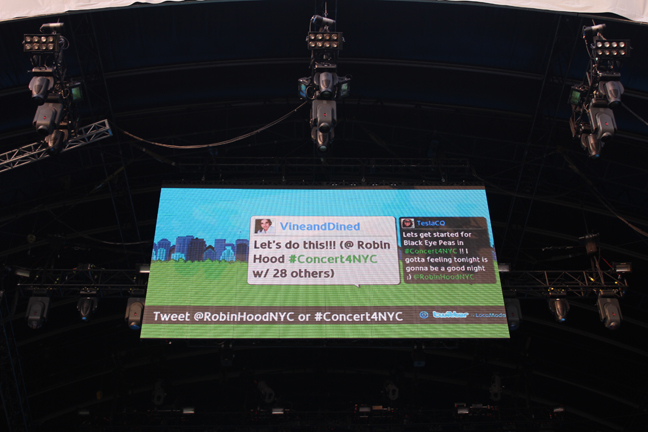
As part of the evening’s connected strategy, 7 huge LocaModa screens displayed live Twitter feeds and photo streams.

For the DOOH geeks amongst us, the screen specs were:

1 x Upstage 26’7″ tall X 55’1″ wide (2.0 aspect ratio)
1 x Mid-stage center: 14’9″ tall X 26’5″ wide (1.77 aspect ratio)
2 x Mid-stage side screens: 11’6″ tall X 9’10″ wide (.8 aspect ratio, portrait)
4 x Crowd screens: 11’4″ tall X 20’8″‘ wide (1.83 aspect ratio)

As the daylight faded (the Peas came on stage at 7.30) the screens were a beacon for engagement. Over 2,000 tweets were sent during the event (which was pretty impressive as we couldn’t even get wireless signal with so many people there!).

It’s not too late to donate here:

Share

Interactive screens, mobile technology and Shakespeare are unlikely bedfellows.

‘Tis true, but Scholastic, the global education and media company, focused on helping children around the world to read and learn, is using LocaModa’s Wiffiti to make learning Shakespeare more fun.

In their Lesson Plan 5: Summarizing by Text-Messaging Shakespeare, they set out how teachers can safely use mobile technology and interactive screens to engage students.

I’ve taken the following excerpt from their website (the link above is well visiting - they do an excellent job of clearly explaining how to set up an interactive screen experience.):

DIRECTIONS
1. The teacher goes over mobile safety and appropriate use before beginning this lesson.
2. Before students begin reading Romeo and Juliet, the teacher reads the opening prologue. The teacher may also want students to be looking at the words as it is being read by projecting them on an overhead.
3. The teacher asks students to think about the prologue, and to summarize it in 140 characters by using their cell phones to send a text message to the Wiffiti screen that the teacher previously set up.
4. The teacher projects the Wiffiti screen along with the information on how to text to the screen (this automatically shows up on each Wiffiti screen).
5. The students begin to send their summaries to the Wiffiti screen via their cell phones.
6. Once the summaries are all up on the screen, the teacher reads through them and asks the students to vote on which one they think best summarized the prologue.
7. The teacher then selects a piece of dialogue or a scene from Romeo and Juliet, reads it, and has the students summarize the same way as above.

I find this so inspiring - not only in terms of the innovation in education (I wish I had such interesting classes when I was force-fed the Bard) but also because every day it is more and more obvious that media professionals HAVE to embrace technologies that enable dialogues with their audiences.

DOOH pros, where art thou?

Share

Following a fantastically successful orientation day at West Virginia University (WVU) with over 4,500 students engaging with digital signage (we wrote about it here), WVU installed a small network running LocaModa place-based social media on X20 in their Student Union last December.

The WVU network runs three LocaModa place-based social media applications - LocaModa Foursquare, LocaModa Wiffiti (which displays a combination of filtered and moderated Twitter messages, photos, and SMS) and LocaModa Twitter Flow (displaying messages tagged West Virginia).

Since the LocaModa screens went live in Dec 2010, the number of checkins grew 250%.

The organic growth of checkins across the campus was 1-15% except in the Student Union, where the increase in check-ins was 49%. Guess where the LocaModa screens are? That’s right - the Student Union!

For more details, read the post on Mobile in Higher Ed by Dave Olsen and the reply by Goerge Cicci.

Nice job WVU!

Share

In 15 Seconds Or More Part 1, I covered the three different types of place-based social media. In Part 2, I covered the seven steps in the user engagement path. In this final excerpt of the white paper of the same name (I’ll have to get around to finishing it now!), I’ll cover how place-based social media maps to different digital out-of-home channels.

Not all place-based social media is applicable to all channels. Some channels only have short dwell times or content loops (e.g. gas pumps) while others have longer dwell times and content loops (e.g. bars and events).

A guide to the type of place-based social media best suited to specific digital out of home channels can be seen in Fig 1 below.
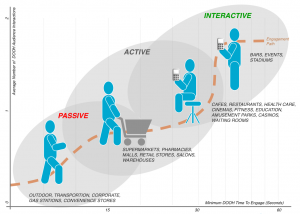
Fig.1. Mapping Place-Based Social Media to Channels (Click to enlarge).

For short dwell times, or content slots of a maximum of 15 seconds, I’d recommend using passive place-based social media (e.g. displaying localized Twitter messages about a city, sports/team or news.) Zoom Media and Marketing Sport’s Bites and RMG Networks’ NYTimesToday.com are examples of passive applications built by LocaModa designed to grab attention and inform and/or entertain. True to their passive nature, these applications do not have call to action so do not support any DOOH user interactions.

For longer dwell times and content slots of 15-30 seconds, DOOH networks can use active place-based social media that support user participation features, subject to the capabilities of the DOOH network. As previously described, active place-based social media can be influenced by the DOOH audience but not in real time – either due to limitations of infrastructure or time required by brands/venues to ensure content is adequately filtered, moderated and/or curated. Example applications include trending Twitter topics or changes in existing accounts such as celebrities, to show which celebrities are more or less popular. Such applications can be used in supermarket check-out lines to entertain shoppers as described in this post about LocaModa and PRN.)

For long dwell times and content slots over 30 seconds, DOOH networks can use interactive place-based social media. Interactive applications include real-time Twitter, text/photo-to-screen, real-time polls, and check-ins (e.g. displaying check-in info and tips for services such as Foursquare, Facebook Places or Gowalla). Well designed and inexpensive moderation/curation tools make interactive applications easy to deploy these days.

There are plenty of application examples available via the LocaModa App Store and there will be more examples and information in the white paper which I’m aiming to finish before the end of this month.

Share